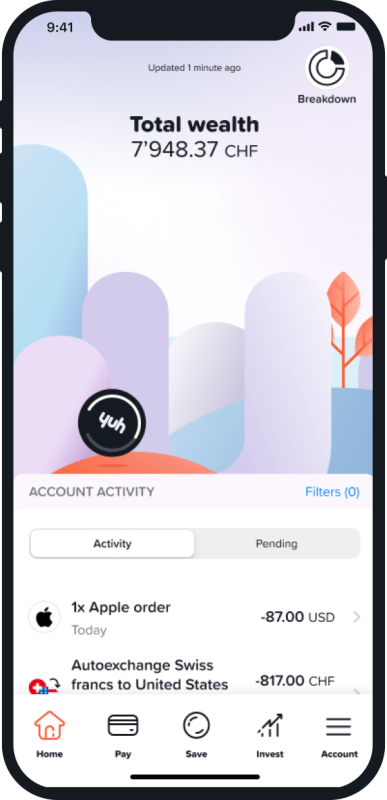
30 CHF to fuel your ideas

Your first assignment this term: We give you 30 CHF, and you turn it into a story worth telling. Open an account with code YUHSTUDENT and step into action. Save it, spend it, or invest it—if they name the campus (or a bench) after you, that’s a solid 6! See offer conditions here.

No fees hiding behind trees

Nor in the depths of the fine print. We are fully transparent about fees and avoid them whenever possible.

Discover our pricing

Why Yuh

We’re the Gen Alpha of finance apps. State-of-the-art tech and innovation are in our genes. We focus on transparency, safety and financial simplicity so you can focus on your peace of mind.

Learn more

Let’s get you started

Got your smartphone, valid ID and a utility bill at hand? WiFi’s working?

Then you’re ready to go!

1

Create your account

Download the Yuh app, enter your personal details and verify your identity in the app.
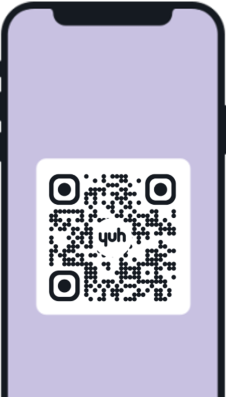
Phone Screen QR Code
2

Insert the code YUHSTUDENT

Use the code STUDENT2025 during your account opening. Make sure you insert it under «Your promo code from Yuh».

3

Top up your balance

Make your first deposit (spoiler alert: if you first fund your account with 500 CHF, you will receive 250 Swissqoins).
Illustration Balance Yuh Coin Phone
1

Create your account

Create your account

Download the Yuh app, enter your personal details and verify your identity in the app.

Phone Screen QR Code
2

Insert the code YUHSTUDENT

Insert the code YUHSTUDENT

Use the code STUDENT2025 during your account opening. Make sure you insert it under «Your promo code from Yuh».

3

Top up your balance

Top up your balance

Make your first deposit (spoiler alert: if you first fund your account with 500 CHF, you will receive 250 Swissqoins).
Illustration Balance Yuh Coin Phone

So pretty and pretty easy

Peekaboo! Take a look at the Yuh app. You’ll be surprised by all the money matters it can handle.

See how it works
Save up for your dreams
Creative sticker showing a smartphone on a skateboard with the screen repetitively displaying 'Yuh'.
Next-level saving at Yuh
Be friends with your bills
A multi-currency account
Phone screen Total wealth
Hello Wall Street & beyond
Sticker design with a smartphone character displaying 'Hello! yuh' on its screen.
Learn to change your game
Future? We got your back
Swissqoins for the win
Illustration Person Sitting

YuhLearn

Keep learning, keep growing. We are thrilled to share our expertise with you.

Discover

Still raising an eyebrow in doubt? Ask us about anything that’s keeping you from sleeping at night!

When will I receive the money (30 CHF)?

The credit is usually automatically transferred to your Yuh account no later than 1 month after the account is opened.

Where do I enter the promo code?

During the onboarding process, where we ask you a few questions to get to know you better,
you can enter the code YUHSTUDENT to unlock your 30 CHF.

What happens if I forget to enter the promo code when I sign up?

Unfortunately, the promo code must be entered during the onboarding process. If you forget to do this, we will not be able to credit the amount to your account.

I have a referral and a promo code. Can I use both?

No, you can only benefit from one reward programm at a time. If you have a promo code and a referral code you need to choose one (or flip a coin).

What do I need to open an account?

To open a Yuh account, you must:

  • be 18 or older
  • reside in one of those countries
  • NOT be a “US Person” (citizen or permanent resident of the United States)
  • have an ID or passport (plus your residence permit, if you are a foreign national living in Switzerland)
  • make a first cash deposit from a bank account held under your name
  • find the key to the ancient tomb of Quetzalcoatl by midnight on the next full moon

(That last one’s not actually necessary.)


And, if you live in a neighbouring country, you will need to provide:

  • an official government proof of residence*;
  • a mandatory first deposit of at least 500 EUR/CHF from a bank account in your country of residence.

*Examples of acceptable documents include tax bills or official confirmation from a local authority. Standard utility bills are not accepted.

Need help? Our support team is all ears

Take charge of your money, switch to the Yuhniverse!

Illustration Illustration Illustration Illustration